

• Classroom-based CNC programming and operation training using simulated CNC control hardware.
• Switchable milling and turning configurations in a single simulator.
• Minimum 3-axis milling / 2-axis turning system with one spindle.4/5-axis optional.
• Provide Machine Tool Simulation,supports manual NC programming and import external NC program and
3D machining simulation; This simulation must be viewable in PC.
• Inch and metric unit selection.
• Suitable for teaching CNC programming, navigation, editing, setup and operation when access to an actual machine tool is limited.Also suitable for training before operation of real CNC machine tools.
Embedded high-performance microcomputer, system panel, control panel, onboard handwheel or external handwheel

(1) Touch screen display
(2) Realistic texture of CNC simulation system panel
(3) Realistic texture CNC simulation operation panel
(4) Equipped with VGA or HDMI high-definition multimedia interface, USB interface
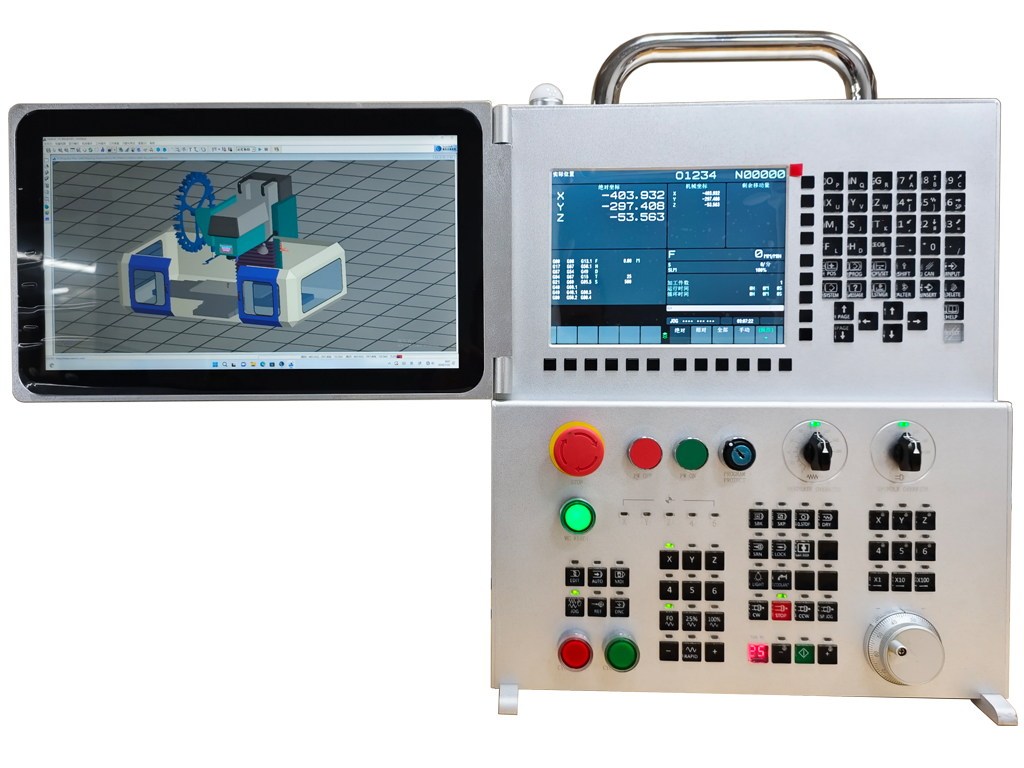
• Control platform: FANUC 0iF/0i-F 10.4 inch/0i-F Plus/ MITSUBISHI/ Siemens education platform or latest officially supported equivalent.
• Part program storage: Minimum 512 KB.
• Registered part programs: Minimum 400 programs.
• Tool offset pairs: Minimum 32 pairs.
• Work piece coordinate systems: G52-G59 plus minimum 48 additional work piece coordinate systems in milling mode.
• Display: Minimum 9.7-inch color LCD.
• Keyboard: Controller panel with ONG-M Layout MDI Keyboard, identical to machine interface.
• Standard connectivity: USB and Ethernet.
• Input power: AC 100-240 V, 50-60 Hz, approximately 2.0 A.
• Power consumption: Maximum approximately 150 W.
• Overall dimensions: Approximately 420 mm x 120 mm x 490 mm (W x D x H), or the manufacturer's current equivalent dimensions.
• After power-on, the user shall be able to select milling or turning controller in login window.
• The simulator shall support creation, editing, checking and execution simulation of CNC part programs.
• User can manual editing programming or import external NC program.
• Read/punch upload and download functions shall be supported through USB interfaces.
• The system shall support dual-screen display or screen-replication compatibility through HDMI for instructor-led classroom projection when used with the applicable OEM PC software.
• All standard software, firmware and licenses required for normal operation of the offered configuration shall be included. Trial-only or time-limited licenses will not be accepted unless expressly identified as optional.
• Power ON switch.
• Power OFF switch.
• Emergency stop button.
• Manual pulse generator.
• Tri-color integrated LED alarm light.
• LED axis reference point status indicator.
• 7-segment LED display current tool number.
• Feedrate override knob.
• Spindle override knob.
• Program protect key switch.
• Power enable switch.
• Horizontal and vertical soft keys.
• Machine control panel.